
Social Security Tax for Employers: The Perfect Guide

The Social Security tax for employers is important to understand in order to stay compliant with the federal tax laws. This tax helps fund the U.S. Social Security program, which provides benefits for disabled workers and the families of deceased workers.

In this guide, we will be looking at the social security tax for employers, its role in the process, and how you can ensure compliance.

Create Accurate Pay Stubs in Minutes

Stay compliant with Social Security tax rules by generating professional pay stubs for free.

Start Free Paycheck Creator

What is Social Security Tax?

Social security tax is a section of the Federal Insurance Contributions Act (FICA), which requires both employees and employers to contribute to the social security program. This program provides benefits for disabled workers and the families of deceased workers.

Most of the employers automatically hold back social security taxes from employees’ paychecks and send them to the government. On every employee’s paycheck, social security taxes should be there, among other taxes that are withheld.

Why is the Social Security Tax for Employers mandatory?

The social security tax for employers is requested under the Federal Insurance Contributions Act. The aim is for current workers to support older and retired workers in case of disability and retirement.

The social security tax funds the social security program, which pays for the retirement and disability benefits to more than 68 million Americans every month.

2025 Social Security Tax Quick View

Item Rate / Limit
Employee Social Security Tax 6.2%
Employer Match 6.2%
Total Rate 12.4%
Base Wage Limit $176,100
  • The social security tax for 2025 will remain the same at 6.2% for both the employer and employee.
  • Employers are required to match the 6.2% contribution, making the total tax rate 12.4%.
  • Employers’ contributions will continue to be deducted from their paychecks, and employers will set aside their portion for the IRS.

What is considered the Social Security base limit?

For 2025, the social security tax base limit is $176,100. This means that the social security tax only applies to the first $176,100 of an employee’s earnings. Earnings above this limit are not subject to the social security tax for the whole year. Although the Medicare tax has no earnings cap, it applies to all income.

What should be your responsibilities as an employer?

What should be your responsibilities as an employer

The following are the responsibilities of being an employer:

Withhold the employee portion:

Being an employer, you are responsible for withholding 6.2% of each employee’s gross wages for social security tax, up to the social security tax limit.

Once an employee’s earnings exceed this limit, social security tax is no longer withheld from their wages for the whole year, but Medicare tax still gets applied.

Pay the employer portion:

You should contribute 6.2% as the employer’s portion, which is paid directly to the IRS. This amount is deducted from the employee’s wages.

File and report the social security tax:

Employers must file an IRS Form 941 quarterly, reporting both the employees’ and the employer’s contributions to the social security tax.

Pay the taxes:

Depending on the total amount of taxes you withheld, the IRS shall assign to you a direct deposit schedule, either monthly or semi-weekly.

Get Compliant Pay Stubs Instantly

Generate professional stubs with correct deductions—perfect for Social Security tax reporting.

Download Free Pay Stub Template

Filing and Reporting Social Security Tax for Employers 2025

The reporting and filing of social security tax for employers in 2025 are as follows:

  • Form 941: Employers should file a Form 941 quarterly to report wages and tax withholdings, including social security and medicare taxes.
  • Tax Payments: Social security tax payments must be made on time to avoid penalties.
  • Record-Keeping: It is vital to maintain accurate records of wages, tax withholdings, and contributions for at least four years.

Social security tax for employers is crucial not only for employers but for retirees and families, which includes:

  • Retirement benefits: Monthly income for retirees who have paid into the system.
  • Survivor benefits: Benefit for family members of deceased workers.
  • Disability benefits: Support for workers who have become disabled.

FAQs For Social Security Tax for Employers

1- What is the maximum Social Security payment?

The maximum Social Security benefit you’re eligible for depends on the age you retire. For example, if you retire fully in 2025, your maximum monthly Social Security benefit would be $4,018.

2- What is the concept of Social Security?

The concept of social security is a society’s system of public protection against economic and social distress which is caused by risks like unemployment, illness, old age providing income and health care to make sure there is a minimum standard of living.

3- Who is eligible for Social Security?

Social security at the age of 62 or older are insured for having enough work credits.

4- How to check for fake paystubs?

You can use the pay stub generator to create professional pay stubs. Common signs of a fake pay stub include incorrect formatting, inconsistent fonts, misspelled words, math errors lack of important information such as taxes and deductions.

Key Takeaways – Social Security Tax for Employers

Grasping the concept of Social Security Tax for Employers is key to proper payroll management. Keeping up with the current rates, duties, and filing requirements, employers not only steer clear of errors that may cost a great deal of money but also become a source of financial stability to the staff members. 

A Free Paycheck Creator– pay stub generator can undoubtedly become a great helping tool in the accomplishment of this task, facilitating employers in the computation of the proper deductions and the issuance of professional pay stubs.

Stay Tax-Compliant Effortlessly

Use our free paycheck creator to generate accurate pay stubs and meet every IRS requirement.

Generate Stub Now

Medicare Tax: Handy Guide for Employers

It is exceptionally important to understand payroll taxes, which include Medicare tax, that help fund the national healthcare program. Medicare provides health coverage to individuals who are 65 or older, as well as young individuals with disabilities.

This guide focuses on the full details of the Medicare tax, which comes in handy for employers and your responsibilities as an employer.

Stay Ahead of Payroll Taxes

Quickly calculate and track Medicare tax with our Free Paycheck Creator—simple, accurate, and secure.

Start Tracking Now

What is Medicare Tax?

Medicare tax is a vital part of the Federal Insurance Contribution Act taxes, which fund the Social Security and Medicare programs. Both the employer and employee should contribute towards this tax.

It is deducted from employees’ paychecks and is matched by the employer to make sure the funding is flowing continuously for healthcare services.

The standard rate is:

  • 1.45% for employee
  • 1.45% for employer
  • Total of 2.9% per employee

Who pays the Medicare Tax?

All the employers and employees in the U.S. must pay the tax, with some deviation for groups such as:

  • Religious organizations who have received IRS approval

Self-employed individuals are required to pay tax under the self-employment contributions tax.

Current Medicare Tax Rates for employers

The current tax rates for employers are mentioned below:

  • 1.45% of all the wages; which is unchanged since 2024.

Calculate & Track Medicare Tax Instantly

Easily calculate and track your tax with the Free Paycheck Creator.

Track Now

Employer responsibilities regarding Medicare tax

Tax is shared equally between the employers and employees. Below are the responsibilities:

  • Employees’ contributions are 1.45% of each employee’s gross earnings for Tax.
  • Keeping in mind the withholding of employees’ contributions, employers can additionally contribute 1.45%. This means you are paying a total of 2.9% of their gross earnings.

Medicare and fringe benefits

It is vital to know which is taxable:

  • Taxable fringe benefits: This includes bonuses and non-cash benefits, which are included in the gross earnings, like company vehicles.
  • Non-taxable fringe benefits: Employer contributions to health insurance, which are excluded from tax calculations, can be done using the free paystub generator.

Tax Calculating

Medicare tax is calculated based on the employee’s earnings, which include regular pay, overtime pay, and other types of compensation. 

For example:

  • If an employee earns $50,000 a year
  • You will withhold 1.45% of $50,000 from the employee’s earnings
  • You shall contribute $725 being an employer
  • So, the total contribution to tax for the employee would be $1,450

Reporting and Paying Medicare Tax

Employers are required to report and pay tax to the IRS, along with the other taxes. You can always use the IRS Form 941 to report the taxes to the FICA taxes each quarter.

The deadlines are:

  • For quarter 1 April 30: January to March
  • For quarter 2, July 31: April to June
  • For quarter 3, October 31: July to September
  • For quarter 4, January 31: October to December

FAQs

1- Does everyone get Medicare tax taken out of their paycheck?

All the employed individuals residing in the U.S. pay the tax, even if the employer or employee is not a citizen of the U.S.

2- At what age do you stop paying Medicare tax?

You pay tax even after you turn 65 years old, as long as you’re still employed.

3- Can I avoid Medicare tax legally?

It is not entirely possible to avoid tax legally, but various approaches can help you in reducing your taxable income.

4- Can I refuse to pay tax?

Yes, you can refuse to pay tax to self-employed individuals who must pay the traditional tax.

Simplify Payroll & Medicare Deductions

Generate accurate paystubs and keep flawless records with our Free Paycheck Creator.

Create Free Paystub

Closing thoughts

By understanding the Medicare taxes, you can maintain smooth payroll deductions and use tools like free paycheck creator, which can ease this process and keep a detailed record of employee transparency.

Best Free Paystub Generator Tool – Why Free Paycheck Creator Is #1

Are you looking for a free paystub generator in 2025? Worry not. With more people working as freelancers, managing side hustles, or running a small business, the demand for a reliable paystub generator is higher than ever.

Create Paystubs Instantly with Free Paycheck Creator

Looking for the most trusted free paystub generator in 2025? Save time, avoid errors, and generate accurate pay stubs in minutes with Free Paycheck Creator.

Create Your Free Paystub Now

Free Paycheck Creator is the best paystub generator free tool in 2025.

Are you one who is struggling to fix mistakes on paystubs without wasting time?”

With the best free paystub generator tools like the Free Paycheck Creator, you can edit and produce error-free paystubs in under a minute, saving time and maintaining accuracy.

In this blog, we will discuss the best free paystub generators and why you should use a free paycheck creator for your business.

The best free paystub generators are those that blend accuracy, compliance, robust templates, and instant delivery—top-ranked by small businesses and freelancers for speed and legal reliability. 

Use the trusted free pay stub creator, which helps you in automating your calculations, provides error correction, and gives you the first pay stub free of cost! 

Defining Paystub Generator: Why do businesses and employees need it?

A pay stub is a document that is provided by an employer to an employee that details their earnings, deductions, and taxes for a specific period, showing the gross pay, deductions, and the net pay.

A pay stub can be generated by using a free paystub generator, as it provides transparency to an employee’s compensation and serves as proof of income.

Firms can reduce the amount of time they spend on administrative tasks, and eliminate the discharge of payroll documentation that is professional, using a paystub generator free

What is more, the employees get great assurance that their income records are correct, they can rely on them, and have them at their fingertips. A paystub generator is, thus, a gold-chain connection between the two sides where efficiency, accuracy, and confidence become shared virtues.

Why does a free paystub generator matter?

If you’re a self-employed individual or someone who just needs proof of income, creating pay stubs helps you in:

  • Staying organized for taxes
  • Provide proof of income to landlords
  • Monitor earnings, deductions, and withholdings

This is where a free paystub generator comes into action, which saves time and reduces errors with automated calculations. 

Employees need payslips as proof of income for application of loans, signing rental agreements, and other financial verifications; thus, the ability to access is very important.

The tools, such as the free paystub generator, are time savers as they allow users to create stubs in a few minutes, and at the same time, they assure the correctness of the tax and deduction calculations. 

In general, a free paycheck stubs generator is the easiest and smartest solution to keep the earnings system open, to support rule-following, and to gain the confidence of others without paying a lot of money.

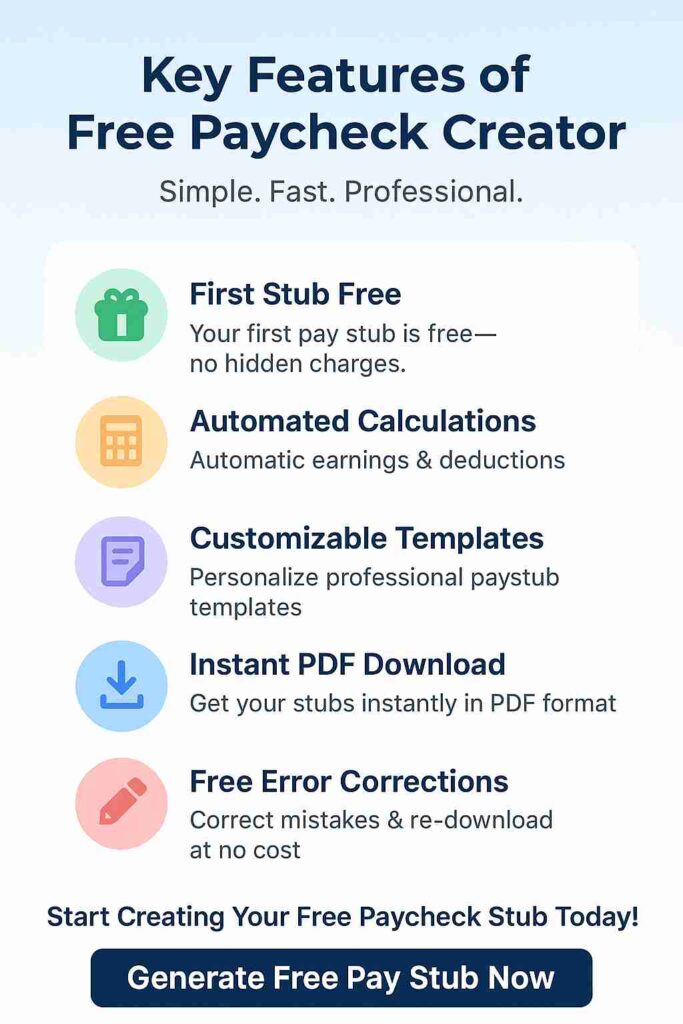
Key features of Free Paycheck Creator

1- First stub is free: With our free pay stub creator, you get 1st stub as free.

2- Automated calculations: Our generator will automatically calculate your earnings and deductions for you.

3- Customizable paystub templates: You can use the customized templates according to your requirements.

4- Instant PDF download: You can download your pay stubs instantly in PDF format.

5- Error corrections at no charge: You can correct your mistakes on your pay stub without spending a dime.

Key Features of Free Paycheck Creator

Why Wait? Generate Professional Paystubs for Free

Our paystub generator free tool gives you automated calculations, instant PDF downloads, and error-free records. Join thousands of freelancers and businesses already using Free Paycheck Creator for their payroll needs.

👉 Start Generating Free Paystubs

Why Free Paycheck Creator is ranked #1?

Free Paycheck Creator is a top choice among paystub generators because of its simplicity, accessibility, and cost-free features. Unlike many tools that require sign-ups or payments, it allows users to create professional-looking paycheck stubs instantly without the need for an account.

The platform also offers an instant preview and easy PDF download option, ensuring a smooth and efficient experience. Its clean, user-friendly interface further adds to its appeal, making it approachable even for non-technical users. 

The combination of free access, ease of use, and broad recognition explains why many consider it a leading tool in its category.

FAQs

1- What is the best free paystub creator?

Free paycheck creator is the best paystub creator for your business. It allows you to create professional pay stubs for your employees or, if you’re self-employed, yourself. Our tool will generate a detailed pay stub after you type in the relevant information.

2- Are free paycheck stubs generator free to use?

Using a paystub generator free is legal and safe to use if it accurately reflects wages and complies with laws. Ensure your paystubs are accurate and lawful, and seek legal advice if needed.

3- Can I create my own pay stubs?

An employee or an individual can generate paystubs online using a free paystub generator.

4- What is the best way to create a pay stub?

Free paycheck creator is the best method to generate pay stubs for employers, sole proprietors, and self-employed individuals.

Ready to Create Your First Free Paystub?

Stop wasting time with manual calculations. Use Free Paycheck Creator – the #1 rated free paystub generator in 2025 – and download professional pay stubs instantly.

💡 Create a Free Paystub Today

Key Takeaways

A trustworthy free paycheck stubs generator is the most practical method to manage the payroll process in a cost-effective way. Working in 2025, such tools as Free Paycheck Creator facilitate the creation of professional pay stubs in a fast, precise, and easy way, thus allowing small businesses and freelancers to maintain proper records and meet regulatory requirements.

Best Paystub Generator Tools to Create Professional Check Stubs

Looking for the best paystub generator for your business? Tools that are available today make it easy and quick for anyone to produce professional check stubs in digital form.

These platforms have enabled self-employed individuals, small businesses, and freelancers to create authentic pay stubs that meet legal requirements and serve as a record of the employee’s earnings, deductions, and other essential data with only a few steps.

This guide focuses on the best paystub generator online for your business in 2025. So, let’s take a look at them.

Create Your Paystub Instantly

Use our free paystub generator to make professional, accurate pay stubs in minutes.

Generate Paystub Now

What is Paystub Generator?

A paystub generator is a digital solution that makes it easy for users to provide check stubs without any hassle; these are the printable documents that show the monthly, biweekly, or weekly pay. Users can make customizable paystubs and tax withholding, benefits, and overtime details by filling in the company name, address, employee details, tax, and deductions.

Are Online Paystub Generator Legal?

For the most part, they are actually legal. The pay stub should be accurate, and there should be a complete report on the payroll, depending on the law of the place where the pay stub is issued.

A pay stub must include information such as the employer’s and the employee’s names, pay period dates, gross wages, deductions, taxes, insurance, and retirement contributions, and net pay to be considered legally valid. Because these elements are present and accurate, various institutions such as banks and landlords are inclined to accept digital pay stubs as proof of income.

However, confirming that online pay stubs come from certified sources is essential. In some situations, companies that have subscribed to the service may be required to provide further verification, such as payroll records or employer alerts.

Even though it is considered fairly good practice to go digital to handle pay stubs, employees should still check the compliance of the processes with the local labor laws.

Also Read: Create Self-Employed Pay Stub

Best Paystub Generator Online in 2025

The following are the best paystub generator to create professional check stubs online:

Free Paycheck Creator:

This website provides a step-by-step manual on how companies can save the expenses caused by payroll errors through a free paycheck creator tool. The paystub generator tool shows an excellent environment for a payroll system, which justifies automatic wage and deduction calculations making the payment process easier.

Highlighting Features:

  • The platform has a user-friendly interface. 
  • It provides automatic tax calculation. 
  • You can get printable and editable pay stubs. 
  • The tool offers the utmost data security.
  • You get customized pay stub templates as per your business needs.

  • Moreover,  24/7 customer support is also available.

Payroll Check Generator:

The website provides a simple and efficient online pay stubs option that allows users to make professional and IRS-compliant check stubs in a few minutes, without any hassle. The platform targets small business owners, self-employed individuals, and startups who require proper income recording for tax return purposes or for employee records.

With a check stub generator, there is no need for any payroll software installation or account registration, and all the taxes are computed automatically. A real-time view is given, and an instant PDF can be downloaded.

Highlighting Features:

  • You get the first stub free. 
  • It has accurate calculations.
  • The payment gateway is also 100% secure.
  • The interface is easy to use, and no subscription is required.

Also Read: 5 Best Free Payroll Check Generator Tools In 2025

Key Features to Look for in a Check Stub Generator

A check stub generator should have key features like correct calculations, customization options, security, and an easy-to-use design. These traits help ensure reliable payroll management and adherence to regulations.

The following elements should be looked at while you choose a check stub generator for your business:

  • Customization: Allowing businesses to include logos, firm details, and choose templates from our website. A flexible option can help your business represent the firm’s brand identity.
  • Accuracy: A modern paystub creator must automatically calculate hours, wages, deductions, and net pay. This step will minimize human error risk and ensure employees receive timely payment.
  • Compliance: Protecting employees’ data is our top priority. Our platform offers features such as encrypted storage and compliance with data privacy laws. 
  • User-Friendly: A pay stub generator should be easy to use, user-friendly, minimize the need for training, and ensure that anyone can generate accurate pay stubs.

  • Reporting: Our platform provides the ability to search old pay stubs for easy access and secure storage for compliance needs.

Get Accurate Paystubs Today

Generate reliable paystubs with our free payroll check generator — fast and easy to use.

Start Generating Free

Who Should Use Paystub Generator?

The following entities should be using paystub generator:

  • Employers: To ensure payroll accuracy, comply with legal requirements, reduce errors, and maintain organized records, which is helpful for small businesses and large workforces.
  • Employees: To obtain clear proof of income records for loan applications.
  • Freelancers: To generate a paycheck stub that increases client credibility and maintains accurate income and tax records. 

Common Mistakes to Avoid 

These are the common mistakes to avoid while you generate pay stub for your business:

  • Inaccurate Data Entry: Double-check your inserted information to prevent errors, pay rates, tax deductions, and overtime calculations. Mistakes such as overpaying can cause payroll complications and legal issues.
  • Poor Formatting: Format the pay stub so that all the information is clearly visible and is easy to understand. 
  • Security: Choose a reputable pay stub generator that offers encryption and complies with privacy regulations to protect employee information.  
  • Omitting essential information: Every time, make sure you provide complete details for both the employee and the employer names, pay period dates, hours worked, pay rates, gross and net pay, deductions, and tax information. Simply omitting key data or over-shortening can lead to misunderstandings.
  • Not verifying legal compliance: Confirm that the paystub complies with the local and federal laws to avoid legal action.

FAQs

1- What is the easiest way to get pay stubs?

You can request a pay stub from your bank, and it can retrieve it for you. You can also retrieve your pay stub directly from your employer’s employee website.

2- Is there a free paystub generator?

Yes, the free paycheck creator allows users to generate pay stubs easily for their business. 

3- How do you tell if a paystub is edited?

Standard pay stubs include incorrect formatting, misspelled words, and a lack of important information, such as taxes and deductions.

4- What is the best platform to generate pay stubs?

Free paycheck creator is the best platform that offers user-friendly interfaces, accurate tax calculations, templates, customization options, and instant generation of professional pay stubs.

Key Takeaways

If you pick a suitable paystub generator, you will not only be able to save time but also make your payroll process more accurate and professional. Whether you are a small business owner, a freelancer, or a contractor, it is very convenient and fast to make correct and lawful check stubs in just a few minutes using a trustworthy tool.

Need a Paystub Right Now?

Save time and create professional check stubs online with just a few clicks.

Create Free Paystub

Create Self-Employed Pay Stub – Know How?

If you’re a self-employed person, managing your financial status is a challenging task. You need to do two things together: create a self-employed pay stub by yourself and manage your finances effectively.

The Current Population Survey states that around 16.5 million people in the country are self-employed.

To prove that you’re an established self-employed person, you need the right documentation to show your earnings, deductions, net pay, and other important details regarding your pay stub.

By reading this full guide, you will get to know everything about a self-employed pay stub. Who needs it, why is a paystub important & what details go into a paystub? Let’s dive deep into it straightaway.

Create Your Self-Employed Pay Stub Instantly

Simplify your finances with our Free Paycheck Stub Maker. Whether you’re a freelancer, gig worker, or small business owner, use the free paycheck creator to generate accurate and professional pay stubs in minutes.

Create My Free Pay Stub Now

What is a Self-Employed Pay Stub?

A self-employed pay stub is a document that you receive, as it is generally issued by an employer to a freelancer or contractor. Moreover, being a self-employed person, creating your own pay stubs to monitor your earnings and deductions for your business and for tax purposes is crucial.

Why Do Self-Employed Individuals Need Pay Stubs?

Most people need a paystub to prove their income when applying for a loan, renting an apartment, or making mortgage payments. Self-employed individuals typically need a pay stub for tax preparation. However, they also need a check stub to keep detailed records. Using a self-employed pay stub generator can help simplify financial processes and ensure compliance with tax regulations.

Beyond this, pay stubs add credibility by showing clients and partners that the individual manages finances professionally. They are also useful for personal budgeting and financial planning. They make it easier to track gross & net income, business growth, and future savings. 

Additionally, self-employed pay stubs are often needed for insurance or benefits applications, where proof of income is required. For those who hire contractors or employees, pay stubs help maintain clear records. In short, pay stubs give self-employed individuals better financial credibility and proof of earnings in personal and professional situations.

Cases Where Paystubs Are Needed

The following cases are when a self-employed person would need their pay stubs:

  • Renting an Apartment: Landlords ask tenants to show proof of income before giving a home for rent.
  • Financial Matter: Proof of income is required when legal disputes arise.
  • Loan Application: Banks need individuals to carry self-employed check stubs to approve their loan application.
  • Insurance Applications: Disability insurance providers might require self-employed individuals to show proof of income to calculate premiums.
  • Tax Preparation: A self-employed pay stub provides a whole breakdown of earnings, deductions, and taxes, which eases out the tax filing process.

Key Components of a Self-Employed Pay Stub

Below are some of the key components of a self-employed pay stub:

  • Business Information: Your business name, address, email, and phone number.
  • Employee Information: Your name, address, and social security number.
  • Pay Period Information: Start and end dates of a pay period.
  • Gross Income: Total earnings before any deductions are made.
  • Deductions: Federal, state,  and local taxes, as well as other deductions such as retirement contributions.
  • Net Pay: This is the amount that an employee takes home.
  • Year-To-Date Totals: Gross earnings, deductions, and net income for a whole year.

How to Create a Self-Employed Pay Stub

You can create a self employed pay stub by following the steps below:

1- Gather Information:

  • Your business name and address
  • Your personal details
  • Pay period dates

2- Calculate your Gross Income:

  • Hourly charges: hours worked * hourly rate
  • Project-based: no fixed amount
  • Monthly salary: add the agreed amount

3- Include Deductions:

  • Self-employment tax
  • Income tax
  • Other contributions, such as retirement savings 

4- Calculate Net Pay:

This is the actual amount that an employee takes home. 

Net pay = Gross income – Deductions

5- Add Year-To-Date Total:

  • Total earnings
  • Total deductions
  • Total net pay

Also Read: How Can I Make Payroll Check Stubs Online Easily?

Professional Pay Stubs Solution For Self-Employed Individuals

A professional solution for self-employed individuals requires customization because all businesses have different requirements.

  • Freelancers: Freelancers are commonly known as self-employed individuals. They often deal with different payment cycles of projects. You can choose the self-employed pay stub template that shows earnings from various clients.
  • Independent Contractors: As an independent contractor, you can highlight the consistency regarding self-employed pay stubs, such as weekly or monthly. They do not have long-term agreements.
  • Small Business Owners: Small business owners have their own business, so they pay themselves, and they need customized self-employed check stubs that reflect earnings and contributions. 
  • Gig Workers: Gig workers are on different platforms, and they earn it from multiple sources. You need to choose a well-organized pay stub in order to break down their earnings through the platform.

Approval of Taxes and Loans With Self-Employed Pay Stubs

By generating professional pay stubs, you can position yourself as financially responsible with proper tax withholdings.

Tax Planning With Self-Employed Pay Stubs

Managing taxes as a self-employed individual can be overwhelming. However, a self-employed pay stub generator can simplify this process. You can stay on top of obligations and avoid penalties.

Developing Credit With Self-Employed Check Stubs

A self-generated pay stub provides the right documentation for building credit. Stubs that have a consistent format add clear details about income and expenses. This information shows lenders that you have financial stability.

Monitoring Earnings and Expenses With a Self-Employed Paycheck for Individuals

Creating a pay stub for a self-employed individual can help in many ways. It can assist with seasonal fluctuations, various types of earnings, and business expenses. If you consider using the self-employed pay stub generator, this can be advantageous for you.

Scan Income and Seasonal Earnings

Whether you are a contractor, freelancer, gig worker, or business owner, you can track your income by using the self-employed pay stub. This tool helps you understand your earnings from month to month and keep an accurate record.

A self-employed paycheck can detail payments from various clients and projects. You can also add non-traditional earnings to the pay stub to reflect your total income, wherever necessary.

Business Expenses and Deductions

A self-employed paycheck includes not only a record of your income but also all the details about it. Self-employed stubs help calculate net earnings by adding the bonus and subtracting the deductions.

You can deduct business expenses like travel, software, and equipment, and add reimbursement and bonuses to find your net pay.

Frequently Asked Questions

1- Why do self-employed individuals need a pay stub?

A pay stub shows income for loans, rentals, taxes, or any other financial checks. It also keeps earnings organized for easier record-keeping. 

2- What information should be included on self-employed check stubs?

A self-employed pay stub includes your name, pay date, gross pay, deductions and net pay.

3- Can I create a self-employed pay stub for free?

Yes, many online paystub generators let you create basic stubs for free. However, premium versions may provide customization and additional features.

4- Are self-employed pay stubs legally valid?

Yes, if they contain correct and checkable information. However, since they are self-created and accurate, they are essential to prevent problems with lenders or tax authorities.

Key Takeaways

If the self-employed pay stub is correct, managing finances as a self-employed professional can be straightforward. With the Free paycheck creator, we provide an easy yet effective way to create a custom self-employed check stub. You can easily track income and taxes and note other details by making a pay stub with us.

Ready to Generate Your Pay Stub?

Don’t waste hours with spreadsheets. With our Free Paystub Generator, you can
create professional and accurate pay stubs in just minutes. Perfect for freelancers, contractors,
and self-employed professionals.

Generate My Free Pay Stub Today

5 Ways Payroll Calculations Are Done Using a Free Paycheck Stub Maker

6% to 13% of employees have pay issues every time they get paid. Most times, these turn into questions for the payroll team, and this causes big problems, more work, stress, and mess-ups.

It’s believed that a free paycheck stub maker can help in avoiding these challenges. This is absolutely true. In this guide, we will see five ways payroll calculations are done easily. So, let’s dive into it.

Need a Simple Way to Calculate Payroll?

Start using our Free Paycheck Stub Maker to generate accurate stubs in minutes.

Create Free Paycheck Stub

What is a Payroll?

Payroll is simply the act of paying a company’s employees. It covers making a list of all the employees to be paid, keeping track of work hours, figuring out each employee’s pay, giving out pay on time, and noting down the payroll costs.

What are Payroll Calculations?

Payroll is defined as the amount a firm pays to its employees for the work done during a particular pay period. This includes their payments and more perks, which are taken when taxes are needed from their total pay.

Why are Payroll Calculations Important?

Payroll is key to a firm’s financial health. Wrong counts can lead to fines, legal problems, and harm the firm’s good reputation. It is vital to follow payroll rules to avoid high fines and penalties.

Also Read: Benefits of Free Payroll Check Generator for Employees

5 Ways Payroll Calculations are Done Using a Free Paycheck Stub Maker

The five ways in which payroll calculations are done are mentioned below:

1- Pay Periods:

Payroll calculations cover pay periods that cover a month or a week. A payroll cycle means a monthly, weekly, or bi-weekly payout to employees in exchange for their service. There are a few things to consider while defining pay periods:

  • Governments require payroll reporting by financial years, which is then broken down into monthly, quarterly, half-yearly, and annual returns of different types.
  • To simplify the process, the pay periods should correspond to the financial year. 
  • There should be a gap of 3-5 days between the end of the pay period and the payout date. This reduces pressure on the payroll processing department.

2- Salary Requirement:

There are different types of employees in your company, and it is helpful to define one or more salary structures for each employee.

A salary structure is a collection of information heads that includes:

  • Wages
  • Allowances such as house rent allowance, travel allowance
  • Benefits such as retirement benefits, health insurance, like hospitals, and your company’s size
  • Professional taxes
  • Statutory bonus
  • Gratuity, which is based on your company’s size

Employers need to use this information in various forms when sending legal work. There are other IDs, like ESI, that move the money cuts to the right employee files.

You can use the free paycheck creator to generate professional-looking paychecks for your business in no time.

Save Time with a Free Paycheck Creator

Generate professional paychecks instantly with our Free Paycheck Creator.

Use Free Paycheck Creator

3- Types of Employees:

There are various types of salary components and tax rules for different employees. Therefore, you need to identify the employee types applicable to your firm. There are different kinds of employees covered, which include:

  • Salaried 
  • Hourly
  • Piece rate
  • Consultants and Commission agents

4- Salary Calculation:

Salary Calculation deductions and exemptions make it rather complicated. After recognizing such deductions from payroll, this formula takes into account all elements like basic salary, allowances, deductions, and taxes for the employee to be paid fairly.

Since exact deductions, whether taxation or benefits, come under the radar of the employer, it is therefore necessary to define the basis on which salary would be computed and document the same along with other formalities. This can be shared with all employees; for example, it can be inserted as part of your company policies.

Most companies either use Leave without pay, or absence without Leave, to calculate salaries payable or days worked.

5- Employee Bank Information:

The check payments take longer to transfer to employees’ bank accounts which are inconvenient. Automatic bank transfers are the new normal for salary payments. Once setup is done, bank transfer is easier, faster, and has a lower cost.

Though employees might maintain an account with a bank that is different from the company’s bank account, it is vital to maintain bank transfer information for each employee.

By visiting free paycheck stub maker, you can take advantage of the free paycheck stub maker to generate pay stubs for your employees.

Also Read: Features of a Pay Stub

Instantly Generate Paystubs

Our Free Paystub Generator helps you create accurate paystubs quickly and easily.

Generate Paystub Now

FAQs

1- What are the main elements of payroll calculations?

Main elements of payroll calculations include gross salary, allowances, and deductions, all of which are vital information for accurate compensation calculations.

2- What is the formula for calculating payroll?

In order to calculate payroll, you should determine each employee’s gross pay by adding their earnings and any bonuses, minus the taxes and deductions, and then calculate the net income. 

3- What are the two main components of payroll?

The two main components for payroll are: Separation of duties and the Approval procedure. Separation of duties ensures that no single person has full control over all the aspects of payroll, which shall reduce the risk of unauthorized actions.

4- What is the payroll process?

Payroll processing is necessary for employees to receive their pay. It has three stages where various tasks must be completed. The main tasks in the process include calculating total earnings, withholding and filing payroll taxes, and issuing the payments.

5- Are free paycheck stub maker really free?

Yes! Several online platforms offer a free paycheck stub maker for both employers and self-employed individuals. Examples include Online pay stubs, pay stub generators, and payroll check generator. Most of these services require only your payroll details and can provide results instantly without requiring you to sign up.

Key Takeaways

Timely payroll processing is a tough job. However, suppose you communicate the steps clearly and follow them carefully, and use a free paycheck stub maker for business. In that case, your payroll processing team can see a significant reduction in their workload.

Free Paycheck Creator – What are the Features of a Pay Stub?

Are you still looking for a free paycheck creator for your business? Don’t worry, we have got you covered.

Pay stubs play a vital role in running everything smoothly. Whether you’re managing a team of five or a solo individual, the payment information matters.

A good free paycheck creator saves time and helps avoid mistakes, and stay organized. Even a tiny error in a stub can lead to legal trouble.

Let us take a wider look at some of the main features of a free paycheck creator.

What is a Free Paycheck Creator?

A free paycheck creator, commonly known as a payslip, is a document issued by an employer to employees, highlighting the details of an individual’s earnings and deductions for a specific period.

It is important because it is used for monitoring an employee’s wages, verifying the status of employment, and calculating tax withholdings. Most employers use a free paycheck creator to create accurate pay stubs easily.

With the help of a free paycheck creator, gross, net pay, and deductions are calculated automatically.

What Information is on a Pay Stub?

A pay stub includes a detailed record of an employee’s wages and deductions taken from their paycheck. Information on a pay stub:

  • Employee name and address
  • Pay date
  • Pay period
  • Gross wages
  • Deductions
  • Net wages
  • Total hours worked
  • Year-to-date total

This information is invaluable to budgeting, financial expenses, and staying current with income tax. Moreover, a professional free paycheck creator provides proof of stable income for loan applications or finance purposes.

What are the Features of a Free Paycheck Creator?

Using a free paycheck creator is as easy as spreading butter on bread. The main features that you need to know to generate your pay stub are mentioned below:

User-Friendly Interface:

If a tool is confusing, you will not use it much. Managers and team members can access, fill in the information, and review pay stubs without extra help. 

A helpful interface should have:

  • Clean layout
  • Steps to create a pay stub
  • Preview option to check how the stub is looking
  • Button to add hours and overtime pay
  • Immediate access to your pay stub
  • Support option or a live chat option

Customization Options:

Each business is different, and the pay stub should match your requirements. Customization ways to help you out:

  • Insert your logo, name, and contact information.
  • Choose from a wide range of templates.
  • Modify tax tables.
  • Adjust the font style, size, and spacing.

Accuracy and Compliance:

Getting it right is the vision with payroll. A trustworthy Free Paycheck Creator will help you avoid basic calculation errors and keep you on the right side of the tax bracket. 

A trustworthy Free Paycheck Creator will have:

  • Tax rates for state, federal, and local requirements.
  • Calculate gross pay, deductions, and net pay.
  • Update regularly to showcase legal tax rules.
  • Split multiple deductions if needed.

Security Features:

Pay stubs provide rugged security protection. Your team can count on you to keep their records safe. The best free paycheck creator will include:

  • Data encryption
  • Secure sign in
  • Limited access
  • Scheduled backups and safety checks

Integration Capabilities:

A free paycheck creator will communicate with your current tool, which is a big help for the integration process.

What an Integration tool can do:

  • Connect automatically with commonly used tools.
  • Import time tracking.
  • Export payment information into reports.

A free paycheck creator will help work with it and can also help send pay data directly into your records.

Also Read: 5 Best Free Payroll Check Generator Tools In 2025

How do you fill out the Free Paycheck Creator Template?

Using a free paycheck creator makes creating and printing pay stubs for your employees easy. 

Below is how you can fill out the template:

  • You should insert your employee’s private data, such as name and address.
  • In the next section, you should insert the employee’s payment details, such as hourly rate, number of hours worked, taxes deducted from their pay, and any deductions from the net pay.
  • Once you have filled out the information, you can print a copy of your pay stub for your employees. Make sure to keep the copy for your records in a safe place.

When you use a free paycheck creator for your business, you save time and money, which ensures that your employees’ financial information is recorded accurately each pay period.

Find The Right Free Paycheck Creator for  Your Business

Choosing a reliable free paycheck creator will affect how your team communicates with their pay, how organized your records are, and how effectively you can manage finances. While looking for a paycheck creator, do not just look for the cheapest or most popular one. Think about what helps your business run better. 

Look for the following:

  • Easy to use
  • Flexible
  • Provide accurate calculations & be compliant with the tax laws
  • Secure 

Visit our website to generate pay stubs using the free paycheck creator.  

FAQs

1- How Many Pay Stubs do I need to rent an Apartment?

You will need two or three months of recent pay stubs of recent pay stubs while applying to rent an apartment. This helps landlords verify your income and ensure you can afford the rent.

2- What all comes out of your paycheck?

The following comes out of your paycheck:

  • Mandatory deductions
  • Voluntary deductions
  • Union dues
  • State and local taxes
  • Medicare taxes
  • Retirement plan contributions
  • Health savings account

3- What are the three amounts found on a pay stub?

A pay stub shows three amounts namely: gross pay, total deductions and net pay on a pay stub.

4- What does a full pay stub look like?

A full pay stub is a document that shows an employee’s earnings and deductions for a specific pay period.

Key Takeaways

While choosing a Free Paycheck Creator, remember the above-mentioned features for accuracy, compliance, and efficiency while managing your stubs. This is your go-to guide for the features of a pay stub, and you can keep coming back to this whenever you need to check on the features.

Pay Stub Creator Free Tool – Why Every Business Needs

Are you tired of messed-up payroll records and last-minute confusion? With the help of a pay stub creator free tool, you can save time, stay compliant & provide your team the much-needed professional tool without spending a dime.

Business owners search for a way to streamline their work process, boost efficiency, and remain stable, all while keeping costs low. Amid these demands, one can overlook the areas where unnecessary headaches and legal trouble can occur if the pay stubs are not appropriately managed.

This guide focuses on the pay stub creator free tool & why each business needs it in one way or another. So, let’s get started.

What is a Pay Stub Creator Free Tool?

A pay stub creator free tool helps users in generating pay stubs, which showcase details of an employee’s earnings, deductions, and net pay for a pay period. These tools are helpful for both employees and employers as they provide them with a transparent record of earnings and deductions.

A Pay Stub is More Than Just a Piece of Paper

Pay stubs are a detailed record of an employee’s earnings & deductions & net pay. They are not just documentation- they offer clarity on how wages are calculated for both the employers and employees.

Why Accurate Paystubs Matter?

Paystubs matter due to the following reasons:

  • Legal Compliance: Most of the state laws require the issuance of pay stubs for every payroll period.
  • Transparency: Employees can see where their money goes, fostering trust.
  • Proof of Income: Pay stubs are required when applying for loans or rental properties.

The Standard Hassle of Paystub

Businesses mostly face these issues:

  • Complex calculations like taxes and benefits.
  • Changing legalization requires rapid adaptation.
  • High costs are associated with outsourced payroll providers.

Rise of the Pay Stub Creator Free Tool

Imagine generating digital, accurate & professional pay stubs in minutes with zero cost. A pay stub creator tool enables business owners to effortlessly create pay stubs online without installing any recurring software.

Features of a Good Pay Stub Creator Free Tool

These are the features of a good pay stub creator free tool:

Also Read: How Can I Make Payroll Check Stubs Online Easily?

Why Every Business Needs a Pay Stub Creator Tool?

The transitional benefits that make these tools a necessity for every business:

  • Cost-Efficiency: Small businesses operate on razor-thin budgets. A pay stub creator free tool that eliminates costly payroll services. Free does not mean low quality- many reliable tools offer robust features without a price tag.
  • Time Savings: Manual pay stub creation can eat up to many hours each month. Automated pay stub generators process data in seconds, freeing up time for higher-value tasks such as growing your business.
  • Improved Accuracy: Automatically reduces human errors, especially in complex tax and deduction calculations.
  • Scalability: Whether you have one employer or a hundred, a pay stub creator can handle fluctuations without additional overhead.
  • Compliance: Most modern free pay stub creators update their compliance engine automatically, so your documentation is always aligned with regulations.

What to Look for in a Free Pay Stub Creator Tool?

Features Why does it matter?
Customization Ensure that the stub matches the firm details & looks professional
Ease of use It reduces the time spent on learning
Security Protects sensitive financial and personal data
Support & documentation It helps quickly resolve the questions

How can you use a Pay Stub Creator Free Tool?

  • Select a trusted & reliable pay stub creator.
  • Insert employee and employer information.
  • Double-check the automated calculations for gross pay, deductions, and net pay.
  • Preview & generate the pay stub in PDF format.
  • Save it for employees as needed.

The Myths of Using a Pay Stub Creator

There are several myths about using a pay stub creator tool, some of which are mentioned below:

  • Free means Basic: Most of the free paystub creator tools offer features that even paid software does not provide. From PDF download to customizable templates, they lack serious features.
  • Security becomes an Issue: Uses encryption and adheres to privacy standards.
  • Only valid for Small Businesses: Large & small businesses both find value in free tools, whether it is for a freelancer or a full-time employee.

The Expanding Era of Paystub Generator Tools

Digital transformation is a thing that will not stop. As of now, regulations and the workplace environment are growing at a rapid pace, taking up flexible, cost-effective measures into consideration in front of pay stub generator tools, which have become a necessity.

A pay stub creator free tool allows businesses to stay compliant, deliver professional stubs, and foster employee trustall while keeping a close eye on the bottom line.

Key Takeaways

Each business, from thriving startups to freelancers, stands to benefit from blending a pay stub creator free tool into their workflow. This is a game-changer tool for cost savings and peace of mind. As the future of work evolves, these tools simplify the process and are more valuable than ever, making pay stub generators a necessity.

Also Read: 5 Best Free Payroll Check Generator Tools In 2025

Self-Employed Payroll Process Simplified – Free Paycheck Creator

Being self-employed, you might start a business because it’s your passion or you want to do something amazing in your life. You might be tired of reporting to someone, but self-employed individuals give you entrepreneurship wings and have tremendous control over competition in markets.

Entrepreneurs do not just earn everything for themselves; they have to hire someone to help them, and they will pay a salary, hourly wages, or commissions to them. In this payroll guide, we will discuss the steps of each process available for your business, including a free paycheck creator. So, stay tuned and keep reading till the end to clear your confusion!

What does being self-employed mean?

If someone is working independently to earn an income without being employed by an employer or any other business, a person can be defined as self-employed. These individuals have multiple work roles, such as marketing, accounting, HR, and sales. As the business slowly grows and the workload increases, they hire employees; hiring people makes them learn about payroll, too.

Payroll options for self-employed individuals

If you are self-employed or have just started your own business, you can understand how paying yourself can be confusing. Unlike employees, you can not just issue a salary without assessing your business structure. Here’s a breakdown of the correct methods based on how your business is set up:

Sole Proprietorship

A person runs the ownership of a business, and there is no legal difference between the owner and the business.

Use an owner’s draw, which means you withdraw money from the business profits and deposit it into your account. You don’t receive a paycheck or W-2. Taxes aren’t withheld automatically, so you’ll report and pay them yourself during tax season.

Partnership

A business owned by two or more individuals who share responsibilities and profits. You can take an owner’s draw, or you might receive a guaranteed payment, which is a fixed amount paid regularly regardless of the business’s profit. This setup should be outlined in the partnership agreement.

Single-Member LLC

A Limited Liability Company with one owner. Legally separate from the owner, but for tax purposes, it’s treated like a sole proprietorship unless you elect otherwise. Use an owner’s draw, just like a sole proprietorship. You don’t receive a formal paycheck.

Multi-Member LLC

An LLC with more than one owner. Often treated as a partnership for tax purposes. Owners take owner’s draws or receive guaranteed payments depending on the terms agreed upon in the operating agreement.

S Corporation (S Corp)

A tax structure that allows profits to pass directly to owners’ tax returns, avoiding corporate tax. You must pay yourself a reasonable salary through payroll, with taxes withheld. You may also receive distributions (a share of the profits), which are taxed differently. You’ll get a W-2 for your salary.

C Corporation (C Corp)

A separate legal entity from the owners that pays its taxes. You pay yourself a salary with tax withholding, just like any employee. You might also receive dividends, which are profit shares taxed separately.

What is Free Paycheck Creator?

If you’re paying yourself through a formal payroll system, you’ll receive a pay stub with each paycheck. It shows Gross earnings, Taxes withheld. Deductions and Net pay which means what you actually take home.

You will not find a manual payroll until you use a tool for record-keeping or proof of income (which can help with debt, taxes, or personal finance)

Suppose you are self-employed and need to generate a professional-looking pay stub. In that case, you can use online tools such as Free Paycheck Creator, which is designed for freelancers, contractors, and small business owners.

How to make a self-employed payroll: Step-by-step guide 

Whether you are a freelancer or self-employed, you will be surprised: How do I pay?

A pay stub is a document that shows how much money you earned, what taxes were withdrawn, and your net income. Even if you are self-employed, a salary is useful for taxes, applying for loans, or just keeping an eye on your income.

The following is a step-by-step guide to using a pay stub generator or setting basic pay for your business!

Step 1: Choose Your Business Type

Before creating pay stubs, you need to know what kind of business you’re running. Are you a:

  • Sole Proprietor (just you, no legal separation between you and the business)?
  • LLC (Limited Liability Company)?
  • S Corp or C Corp?

If you’re just starting, you’re most likely a sole proprietor by default. You can always change your business type later if your business grows.

Step 2: Decide How Much to Pay Yourself

You need to set your salary. As a self-employed person, you don’t get a “paycheck” from a boss—you are the boss.

Tips to decide your pay:

  • Check how much your business earns monthly.
  • Set aside money for taxes and expenses.
  • Pay yourself a reasonable and consistent amount.

If you make $2,000 a month in profit, you might pay yourself $1,500 and keep $500 in the business for future costs or savings.

Step 3: Choose Your Pay Frequency

Decide how often you want to pay yourself:

  • Weekly
  • Bi-weekly (every two weeks)
  • Monthly

Many solo entrepreneurs pay themselves monthly or bi-weekly to keep things simple.

Step 4: Set Up a Simple Payroll System

Even if it’s just you, it helps to use a system to track your payments and generate pay stubs.

You can:

  • Use online pay stub generators 
  • Use accounting software 
  • Create a spreadsheet
  • These tools will help you keep records of:
  • Gross pay (total before deductions)
  • Taxes (if you deduct any)

Net pay (what you keep)

Step 5: Enter and Review Hours or Wages

If you’re paying yourself a set salary, enter that amount.

If you’re paying based on hours worked, log the time you spent working.

  • Double-check:
  • Your gross pay
  • Any deductions (optional for self-employed, like tax withholdings or benefits)
  • Your net pay

Even if you’re not withholding taxes yet, it’s smart to track them so you’re ready at tax time.

Step 6: Approve and Process Payroll

Once everything looks good:

  • Approve your pay amount.
  • Generate the pay stub using your chosen method or tool.
  • Save the pay stub as a PDF or print it for your records.
  • Transfer the payment to your personal bank account (this step officially “pays” you).

Final Tips

Open a separate bank account for your business.

  • Keep track of all income and expenses.
  • Save at least 25-30% of your income for taxes.
  • Use free tools while starting, then upgrade as your business grows.

Key takeaways 

Start by identifying whether you’re a sole proprietor, LLC, or another business type. Most new self-employed individuals begin as sole proprietors. Choose a reasonable and consistent amount to pay yourself based on your business income, keeping enough for taxes and expenses.

Decide how often you’ll pay yourself weekly, bi-weekly, or monthly, depending on your cash flow. Set up a simple system using online generators or accounting software to create and store your pay stubs.  Enter your hours or salary amount, review any deductions (if any), and confirm your net pay.

Approve your pay, generate a pay stub, save it, and transfer the amount to your account. Regular pay stubs help you stay ready for tax season, and they can be used as proof of income for loans, rentals, and more.

FAQs

1. How to do payroll when you are self-employed?

If you’re self-employed, you’re technically not on a payroll like regular employees. But you can still set up a payment system for yourself and keep proper records. Here’s how:

  • Open a separate business bank account to keep business and personal funds apart.
  • Decide on your pay (either a regular salary or periodic owner’s draw).
  • Use a spreadsheet or payroll software to track your income, pay dates, and any deductions.
  • Generate pay stubs to document your payments (use tools like PayStubCreator or QuickBooks).
  • Set aside money for taxes (self-employed people must pay both income tax and self-employment tax).

2. What are the five basic steps in processing payroll?

Whether you’re paying yourself or an employee, payroll processing follows these basic steps:

  • Collect employee or owner details (name, address, pay rate, tax info).
  • Track hours worked (for hourly pay) or set a salary amount.
  • Calculate gross pay, deductions (taxes, benefits), and net pay.
  • Pay the employee (via direct deposit or check).
  • Generate and store pay stubs and payroll records for tax reporting.

3. What is the best way to pay yourself if you are self-employed?

The best method depends on your business structure:

Sole Proprietor or Single-Member LLC: Pay yourself using an owner’s draw. You simply transfer money from your business account to your account. No payroll taxes are withheld, but you must pay self-employment tax at tax time.

S Corp or C Corp: You must pay yourself a reasonable salary through payroll, with proper tax withholdings and pay stubs. Use payroll software to manage this correctly.

In both cases, keep detailed records and separate business and personal finances.

4. How to do payroll for dummies?

Payroll for beginners can seem scary, but here’s a simplified version:

  • Step 1: Decide how often you’ll pay (weekly, bi-weekly, monthly).
  • Step 2: Calculate how much to pay (hourly rate or set salary).
  • Step 3: Use an online payroll tool (like QuickBooks, Gusto, or a free pay stub generator).
  • Step 4: Pay yourself (or your employee) and save a record.
  • Step 5: Keep track of everything for taxes.

If you’re just paying yourself as a sole proprietor, you don’t need full payroll—just track your income, transfer money to yourself, and save documentation.

Generate Real Paystubs in Minutes with Free Paycheck Creator

Need real pay stubs fast? Whether it’s for rental applications, loans, or employment verification, we’ve got you covered. If you need real-looking pay stubs quickly, for things like renting a place, proving income, or other official needs, a free paycheck creator can help. It lets you make professional pay stubs in just minutes. Just enter your info, and it does the rest. Simple, fast, and looks legit.

In this blog, you’ll learn what a paystub is and how it can be useful in real-life situations like getting an apartment, applying for a loan, or proving you have a job. We’ll also show you how to make real-looking pay stubs in just a few minutes using a free paycheck creator. It’s simple, quick, and helps you understand how income proof works in the real world.

What Is a Paystub?

A pay stub is a document you get from your employer that shows how much money you earned, what was taken out, such as taxes and other deductions, and how much you actually take home, which we call net pay. 

If you are a small business owner, doing payroll manually is a time-consuming job, while having software for payroll is too costly for you, you can use a free paycheck creator. It can be printed in hard copy or sent to anyone online, especially if your paycheck goes directly into your bank account. Pay stubs are also known as paycheck stubs, salary slips, or earnings statements.

Where pay stubs are required

  • Renting a house/apartment
  • Applying for loans or credit cards
  • Verifying employment or income
  • Keeping personal financial records

Why You Might Need Paystubs?

Pay stubs are useful in many real-life situations. You might need them when renting a house or apartment, as landlords often ask for proof of income. Employers or other places might ask for them to verify your job or income. Plus, they help you keep track of earnings and spending. Let’s take a look at where you might need a pay stub.

  • Renting a house or apartment: Landlords may ask for pay stubs to make sure you earn enough money to pay rent.
  • Applying for loans or credit cards: Banks and lenders use pay stubs to check if you have a steady income before they approve your loan or card.
  • Verifying employment or income: Sometimes schools, companies, or other services ask for proof that you have a job and earn money.
  • Keeping personal financial records: Pay stubs help you track how much you’re earning and what’s being deducted (like taxes), so you can manage your money better.

So, if you ever need a paystub, you can generate it online, and it will be free. Maybe you’re an employer, doing freelance work, helping in a family business, or just need it to show proof of income, so you don’t have to stress.

That’s where a Free Paycheck Creator comes in, so if you wonder about it, we cover everything below, so keep reading.

What does Free Paycheck Creator mean?

A Free Paycheck Creator is an online tool that lets you make your pay stub in just a few minutes. You simply enter your details, such as your name, job title, hours worked, company logo, and how much you’re paid. The tool then creates a professional-looking paystub that shows your gross pay, deductions (like taxes), and net pay.

It looks just like the real hardcopy paystub, but in digital format, and you can download it in PDF and print it right away if you need a hard copy. It’s super useful when you need something official, like renting a place or showing proof of income, even if you haven’t worked a regular job yet. Just make sure the info you enter is honest and accurate.

Step-by-Step: How to Create a Paystub

Now you know that small company owners, independent contractors, and freelancers need a Paystub, and you, too, need to develop as your company expands. To learn how we help you understand in a step-by-step process about the Paystub Generator.

1. Enter Employee Information

Start by typing in the employee’s name, address, and other basic details.

2. Add Employer Details

Next, fill in the employer’s name, company address, and contact info.

3. Add Company Logo and Extra Info

If you have a logo or want to make the Paystub look more professional, you can upload the logo and include any other company details.

4. Input Pay Rate and Hours Worked

Enter how much the employee is paid (hourly or salary) and how many hours they worked for the pay period.

5. Add Deductions

Include any taxes, insurance, or other deductions. The generator usually helps calculate these automatically.

6. Generate and Download

Once all the info is in, click the “generate” button. Your Paystub will be created instantly, and you can download it as a PDF.

Try the Free Paycheck Creator now and get your Paystub in less than 5 minutes!

Benefits of Using a Free Paycheck Creator

Using a Free Paycheck Creator has some solid benefits. It’s super quick and easy; you can make a paystub in minutes without needing special skills. Plus, it looks professional, and you can download it as a PDF to use whenever you need it, see point-wise discussion below.

1. Easy Way to Track Payments

If you’re running a small business or just managing a few people, a paystub generator helps you keep records of how much everyone earns. Since it’s online, it’s easy to use as long as you have internet access.

2. Fewer Mistakes

Manually doing the math for paychecks can lead to errors. An online generator calculates everything for you, which means less chance of messing up payment amounts.

3. Super Quick Process

You don’t need to waste Time figuring out numbers or formatting. Just enter the info and get a ready-to-use paystub in seconds.

4. Saves Time

Typing things out or doing calculations by hand takes longer. With a generator, it’s all done for you—fast and easy, even during a busy week.

5. Accurate Results

The tool is designed to be precise, even with details like overtime or taxes. That means fewer issues and no confusion later on.

Key takeaways

Managing your financial data has been made easy now with the free paycheck creator! This tool creates easy and simple pay stubs and manages employee records appropriately. Get started with us today to generate your organized and secure pay stubs for free.

FAQs

1. Is Paystubs really free?

Yes, It is free to generate a paystub once. Also, there are no hidden charges before you download.

2. Can I edit the Paystub later?

Most generators let you go back and change the details before you download. Once it’s downloaded as a PDF, you’d need to start over or use a PDF editor to make changes.

3. Can I use this for official verification?

This pay stub looks professional, but they should only be used if the information you enter is 100% real. Using fake information for official purposes can cause legal trouble, so always be honest.

Download Our App
Now to Generate Paystub
Instantly!

© 2025 FREEPAYCHECKCREATOR.COM | ALL RIGHTS RESERVED